
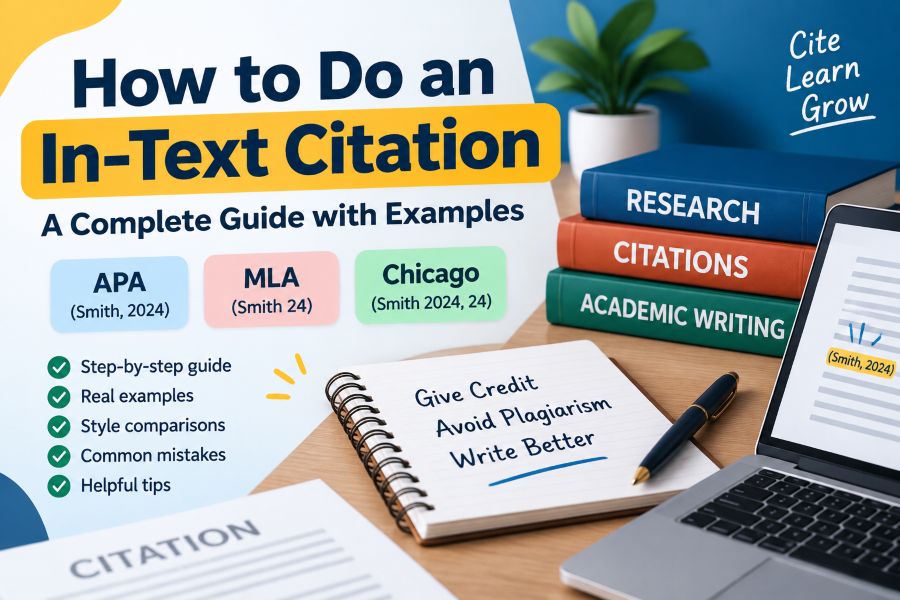
When writing academic papers, research articles, essays, or reports, it is important to give credit to the original sources of information you use. One of the most common ways to acknowledge sources is through in-text citations.
An in-text citation is a short reference placed inside your writing that shows where specific information, ideas, quotes, or data came from. It helps readers identify the original source and locate the complete reference in your bibliography or works cited page.
Many students struggle with questions like:
- How do you write an in-text citation?
- Where should an in-text citation be placed?
- What information should be included?
- How do APA, MLA, and Chicago citation styles differ?
This guide explains how to do an in-text citation correctly with simple examples and practical tips.
What Is an In-Text Citation?
An in-text citation is a brief citation included within the body of your writing. It usually contains information such as the author’s last name, publication year, and page number depending on the citation style.
Instead of adding a full reference every time you mention a source, you add a short citation that connects your statement to the complete reference list.
For example:
Artificial intelligence is changing how businesses analyze customer behavior (Smith, 2025).
The citation (Smith, 2025) tells the reader that this information came from a source written by Smith and published in 2025.
The complete source information would appear at the end of the paper in the reference list.
Why Are In-Text Citations Important?
Using in-text citations is an essential part of academic writing because they provide several benefits.
1. Avoids Plagiarism
Plagiarism occurs when someone uses another person’s ideas, words, or research without giving proper credit.
Adding an in-text citation shows that you are acknowledging the original creator.
Example:
Without citation:
Social media influences consumer purchasing decisions.
With citation:
Social media influences consumer purchasing decisions (Johnson, 2024).
The second example clearly shows that the idea came from another source.
2. Builds Credibility
Citations make your writing more trustworthy because they show that your arguments are supported by research.
Academic readers can verify your information and understand the evidence behind your claims.
3. Helps Readers Find Sources
An in-text citation connects your writing to a complete reference entry.
Readers can use your reference list to find:
- The author’s name
- Book or article title
- Publication date
- Publisher
- Website information
How to Do an In-Text Citation Step by Step
Creating an in-text citation becomes easier when you follow a simple process.
Step 1: Identify Your Source Information
Before adding a citation, collect important details about the source:
- Author name
- Publication year
- Page number (if available)
- Article or book title
- Publisher or website name
Example source:
Author: Sarah Miller
Year: 2025
Book: Digital Marketing Strategies
Step 2: Identify Your Citation Style
Different academic institutions use different citation formats.
The most common styles include:
APA Style
Commonly used for:
- Psychology
- Education
- Social sciences
- Business research
MLA Style
Commonly used for:
- Literature
- Humanities
- Arts
Chicago Style
Commonly used for:
- History
- Publishing
- Academic research
Each style has different rules for in-text citations.
Step 3: Add the Citation After the Information
Place your citation immediately after the sentence, idea, or quotation taken from a source.
Example:
Online learning platforms have increased access to education worldwide (Miller, 2025).
The citation appears after the information it supports.
How to Do an APA In-Text Citation
The APA citation style usually follows the author-date format.
The basic format is:
(Author’s Last Name, Year)
Example:
Technology has changed modern education systems (Brown, 2024).
APA In-Text Citation for Direct Quotes
When you copy exact words from a source, include the page number.
Format:
(Author, Year, p. Page Number)
Example:
“Artificial intelligence will redefine workplace productivity” (Wilson, 2025, p. 42).
APA Narrative Citation
A narrative citation includes the author’s name as part of the sentence.
Example:
Wilson (2025) explained that artificial intelligence will transform workplace productivity.
Here, the author’s name is already mentioned, so only the year is placed in parentheses.
APA Citation With Two Authors
For two authors, include both names.
Example:
Digital marketing requires continuous adaptation (Smith & Lee, 2024).
APA Citation With Three or More Authors
For three or more authors, use the first author’s name followed by “et al.”
Example:
Online privacy has become a major concern (Johnson et al., 2025).
How to Do an MLA In-Text Citation
The MLA citation style usually uses the author’s last name and page number.
Basic format:
(Author Page Number)
Example:
Research shows that language evolves over time (Williams 45).
Notice that MLA does not use a comma between the author name and page number.
MLA Direct Quote Citation
Example:
“Education is the foundation of social progress” (Williams 72).
MLA Citation Without an Author
If no author is available, use a shortened title.
Example:
Online learning continues to grow worldwide (“Future of Education” 18).
How to Do a Chicago In-Text Citation
Chicago style commonly uses footnotes or endnotes, but it also supports author-date citations.
The author-date format looks like:
(Author Year, Page Number)
Example:
Digital transformation affects every industry (Taylor 2025, 60).
How to Cite a Website in Text
Many online sources do not have page numbers. The citation format depends on your style.
APA Website Citation
Basic format:
(Author, Year)
Example:
Search engine optimization improves website visibility (Google, 2025).
If no author exists, use the organization name or article title.
MLA Website Citation
Use the author’s name if available.
Example:
Online security awareness is increasing among users (Smith).
If there is no author, use a shortened page title.
How to Cite a Source With No Author
Sometimes sources do not list an individual author.
In this case:
APA:
Use the organization name.
Example:
Climate change affects global ecosystems (World Health Organization, 2025).
MLA:
Use the shortened title.
Example:
Climate change continues to impact communities (“Climate Report”).
Parenthetical vs Narrative Citations
There are two common ways to include citations.
Parenthetical Citation
The author information appears in parentheses.
Example:
Remote work has changed workplace culture (Anderson, 2025).
Narrative Citation
The author’s name appears in the sentence.
Example:
Anderson (2025) found that remote work has changed workplace culture.
Both methods are correct depending on your writing style.
Common Mistakes When Using In-Text Citations
Many students make citation mistakes that can reduce the quality of their work.
1. Forgetting to Cite Paraphrased Ideas
Some people think citations are only needed for direct quotes.
However, paraphrased ideas also require citations.
Incorrect:
Researchers found that exercise improves mental health.
Correct:
Researchers found that exercise improves mental health (Taylor, 2025).
2. Adding Citations Too Far Away
A citation should clearly connect to the information it supports.
Incorrect:
Many studies discuss online education. Several paragraphs later, online learning improves accessibility (Smith, 2025).
Correct:
Online learning improves accessibility (Smith, 2025).
3. Using the Wrong Citation Style
APA, MLA, and Chicago styles have different rules.
Always confirm which format your school, journal, or organization requires.
4. Missing Reference List Information
An in-text citation must match a complete reference entry.
For example:
In-text:
(Smith, 2025)
Reference list:
Smith, J. (2025). Digital Education Trends. Academic Press.
Both should contain matching information.
In-Text Citation Examples for Different Sources
Book
APA:
Modern businesses rely heavily on digital technologies (Anderson, 2024).
Journal Article
APA:
Research indicates that AI adoption is increasing rapidly (Brown, 2025).
Website
APA:
Online privacy awareness has increased among users (Cybersecurity Institute, 2026).
YouTube Video
APA:
Video content has become a popular learning resource (Education Channel, 2025).
How Citation Generators Help With In-Text Citations
Creating citations manually can be time-consuming, especially when working with multiple sources.
Citation generators can help users:
- Create APA citations
- Generate MLA citations
- Format references automatically
- Reduce citation errors
- Save research time
However, users should always review generated citations because automated tools may sometimes miss important details.
Tips for Creating Accurate In-Text Citations
Follow these best practices:
Keep Source Information Organized
Save important details while researching.
Maintain records of:
- Authors
- Publication dates
- URLs
- Page numbers
Use Citation Tools Carefully
Automated citation tools are useful, but always verify the final result.
Be Consistent
Do not mix citation styles in the same document.
Choose one format and use it throughout your paper.
Cite Every External Idea
If information did not come from your own original thinking, consider whether it needs a citation.
Frequently Asked Questions About In-Text Citations
What is the easiest way to create an in-text citation?
The easiest method is to identify the citation style required, collect author and publication details, and place the citation directly after the information you borrowed.
Do I need an in-text citation for every sentence?
Not always. However, any sentence containing information, ideas, statistics, or quotes from another source should have an appropriate citation.
Can I cite a website without an author?
Yes. Use the organization name or shortened title depending on your citation style.
Do quotes always need citations?
Yes. Direct quotations always require citations, including author information and page numbers when available.
What happens if I forget an in-text citation?
Forgetting citations can lead to plagiarism concerns and may reduce the credibility of your academic work.
Final Thoughts
Learning how to do an in-text citation is an essential skill for students, researchers, writers, and professionals. Proper citations help you avoid plagiarism, support your arguments, and give credit to original sources.
Whether you use APA, MLA, or Chicago style, the basic principle remains the same: clearly show where your information came from.
By understanding citation rules and practicing proper formatting, you can create professional, trustworthy, and academically strong writing. Always remember to cite borrowed ideas, use the correct format, and keep your references organized.
A well-written paper is not only about presenting great ideas—it is also about respecting the sources that helped you build those ideas.

Comments
0 responsesNo comments yet. Be the first to share your thoughts.